

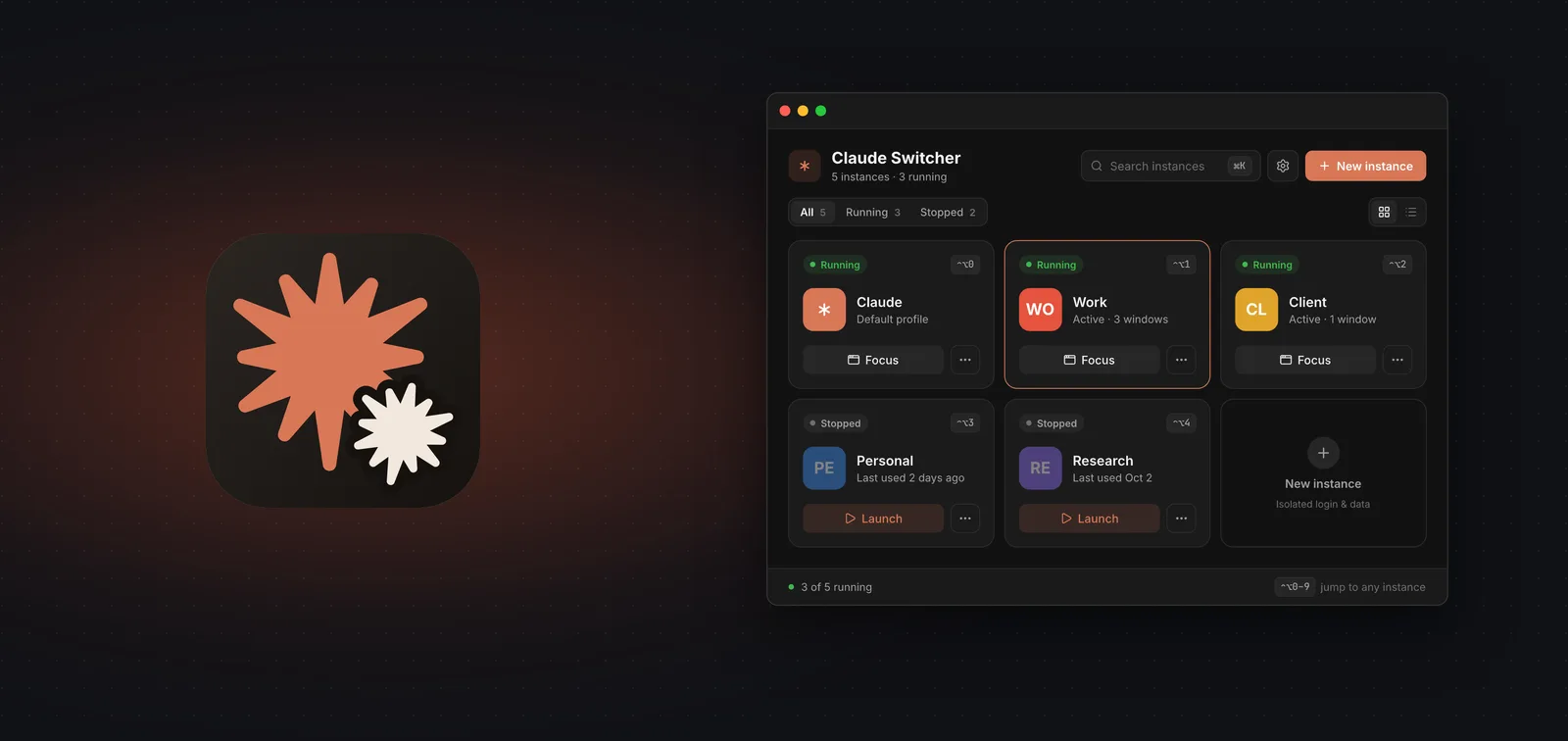
Claude Desktop works with one account at a time. Anyone who belongs to several organizations (their own, a client's, a personal account) has to sign out and back in every time they switch. And each switch puts the conversations and connectors of the previous account out of reach.
We built Claude Switcher to fix that. It is a small app for macOS and Windows that opens an independent copy of Claude Desktop for each account. Every copy keeps its own sign-in, history and connectors, and they can all be open at the same time. It is free and open source, and we released it for anyone who uses Claude.
Download the latest release of Claude Switcher
How it works
Claude Desktop is built on Electron. Started with a different data folder, Claude runs as a separate installation, with its own session and its own data.
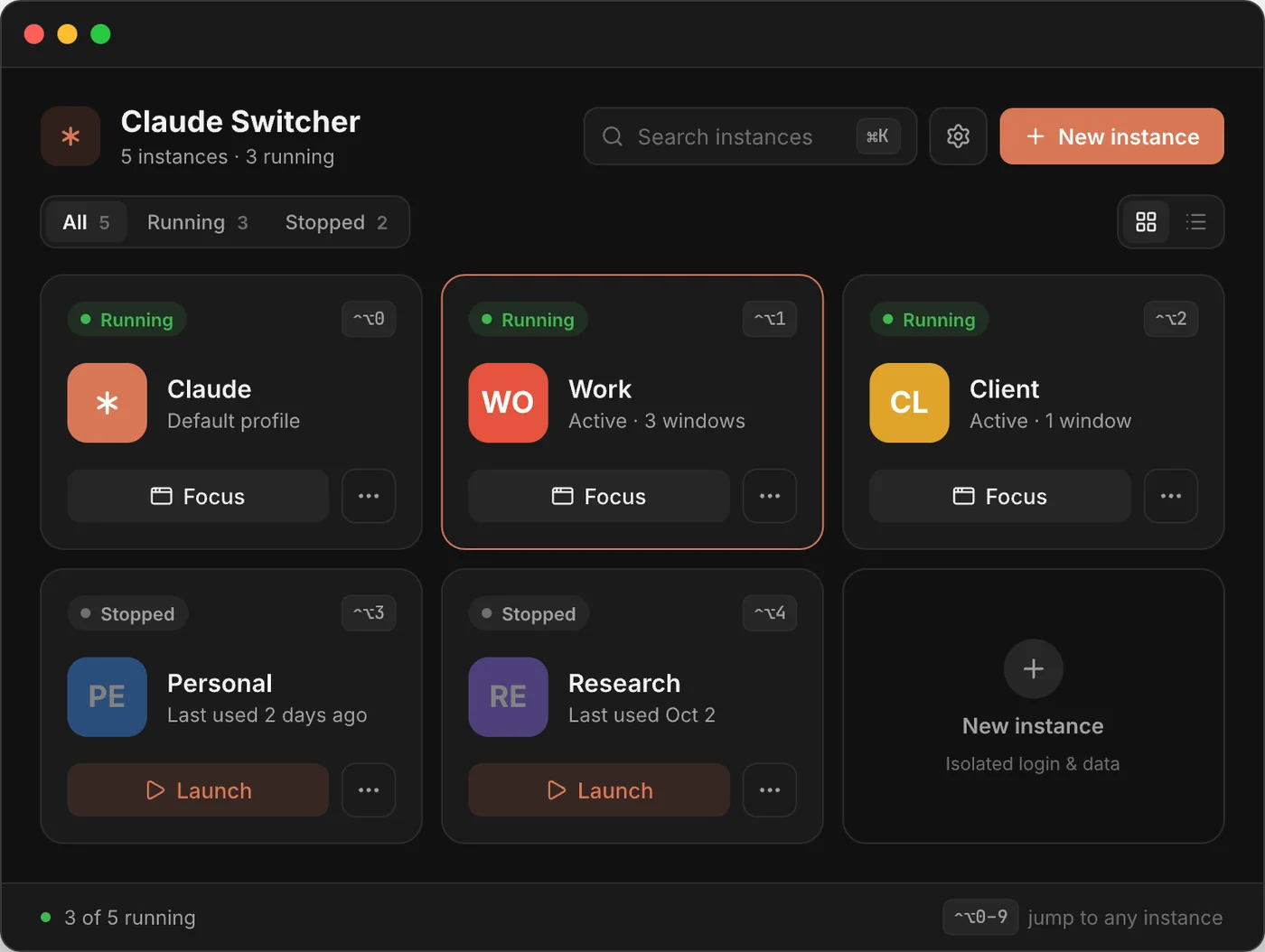
Claude Switcher keeps a list of those folders, shows each one as a card with a name and an icon, and runs the matching command on click:
open -n -a /Applications/Claude.app --args --user-data-dir=<folder>%LOCALAPPDATA%\AnthropicClaude\claude.exe --user-data-dir=<folder>That is all it does. It does not modify the Claude app, does not touch the ~/.claude folder and does not connect to the internet.
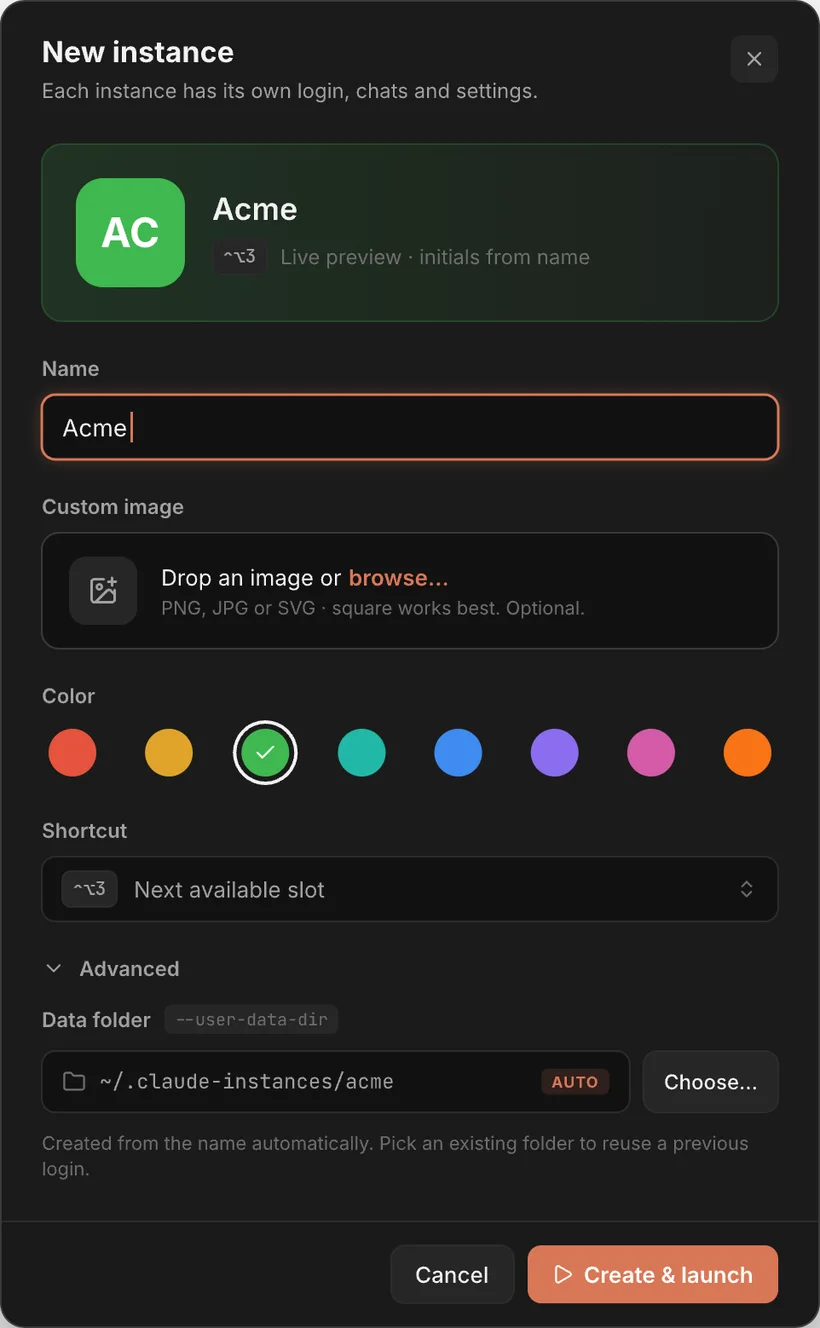
Creating an instance takes a few seconds: give it a name, pick an image or a color, and Claude Switcher assigns it its own data folder.
What it includes
One instance per account
Each copy of Claude keeps its own session, history and connectors.
Recognizable cards
A custom image or colored initials tell the accounts apart at a glance.
Knows what is open
A green dot marks running instances. One click brings that window to the front instead of opening another copy.
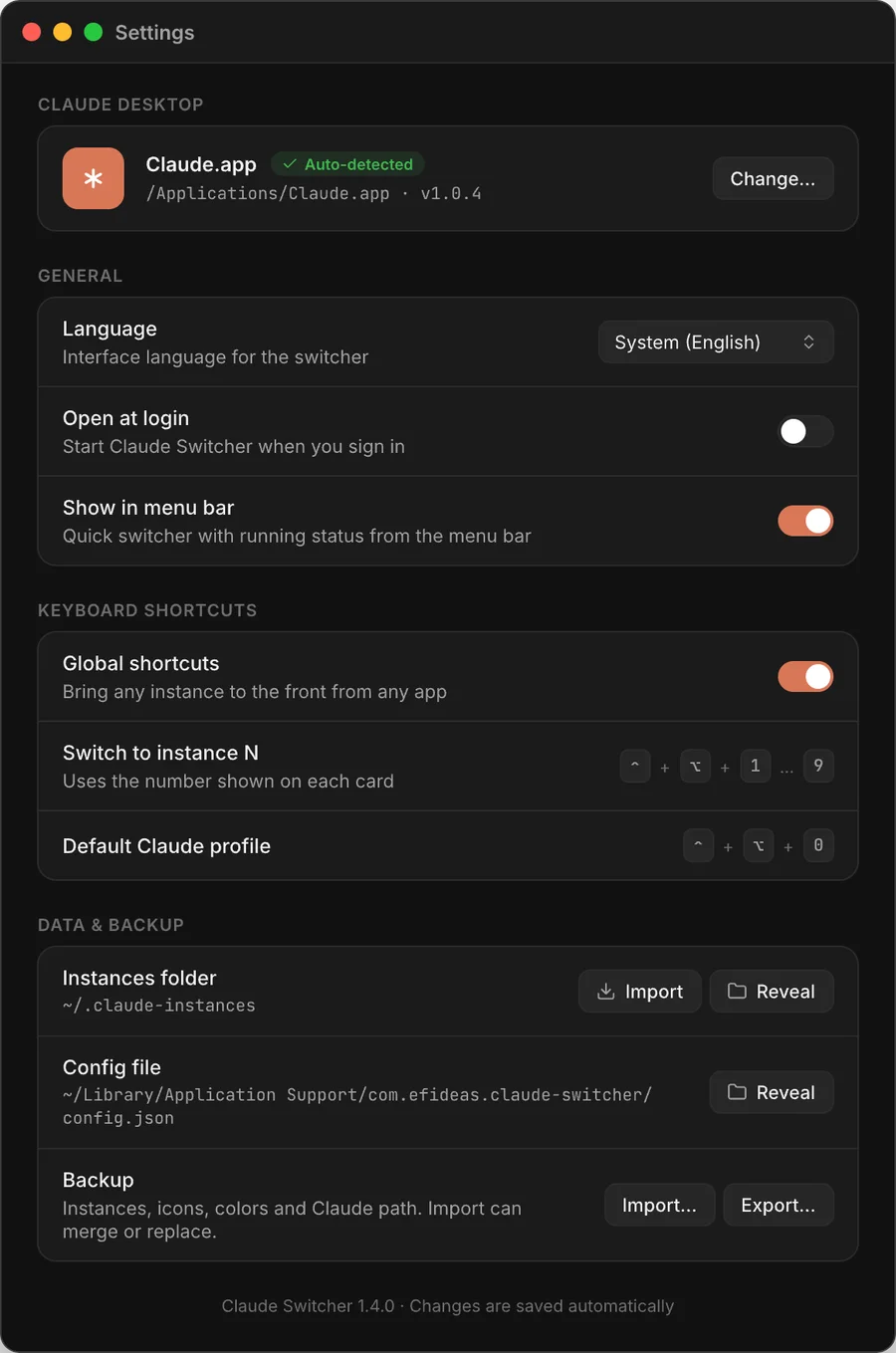
Keys 0 to 9
With the window open, each number opens its card. 0 opens the regular Claude profile.
Global shortcuts
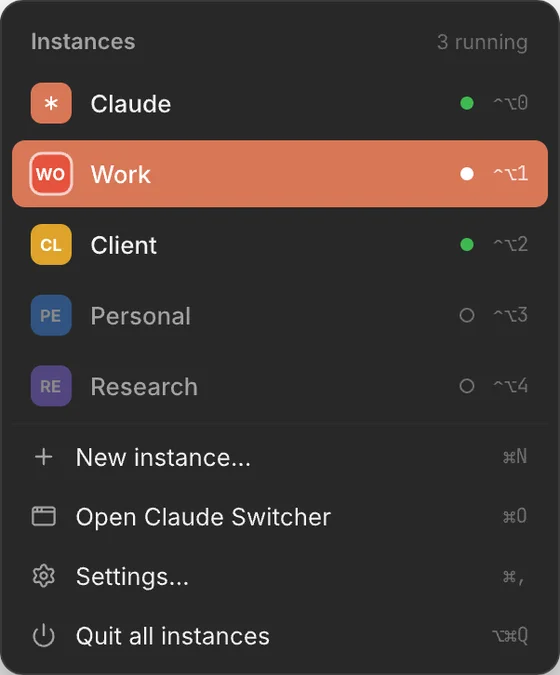
Ctrl+Alt+1to9(Control+Optionon macOS) bring an instance to the front from any app.In the menu bar
It stays in the macOS menu bar or the Windows tray, even with the window closed.
Active instance in sight
The menu bar shows which account owns the Claude window in front, and its card is outlined.
Export and import
The configuration goes into a JSON file that can later be merged with the current list or replace it.
English and Spanish
It follows the system language, which can be changed in Settings.
Finds what is already there
It imports the folders in
~/.claude-instancesand locates the Claude install.No credentials
It never sees passwords or tokens, and makes no network requests.
Free and open
MIT license, no subscription, no payments.

Privacy
Claude Switcher stores no credentials. It never sees passwords, session cookies or tokens: sign-in happens inside Claude Desktop, exactly as it would without the launcher, and Claude keeps that session in each instance's folder. The only file it writes is its own config.json, which holds the name, folder, color and icon of each instance. It makes no network requests either.
Installation
Installers for macOS (Apple Silicon and Intel) and Windows are on the latest release page.
On macOS it can also be installed with Homebrew:
brew install --cask efideas/tap/claude-switcherThe app is not notarized by Apple yet. Homebrew takes care of that; when installing by hand from the .dmg, the first launch needs a right-click and Open. On Windows, SmartScreen may warn that the publisher is unknown because the installer is not signed yet. Choosing "More info" and then "Run anyway" gets past it.
Before getting started
When signing in to a new instance for the first time, it is best to close the other Claude windows, because the sign-in link always returns to whichever Claude process is already running. The same goes for Google and SSO sign-ins, which open in the system browser.
When Claude updates itself, it may restart without the flag and open the regular profile. Quitting it and opening it again from Claude Switcher fixes that.
There are two limits worth knowing about. --user-data-dir is a Chromium flag, not an Anthropic feature, so a future Claude release could change how it behaves. Also, only the desktop app is isolated: Claude Code (the CLI) uses ~/.claude, and separate profiles there need CLAUDE_CONFIG_DIR set in the shell.
Free, no subscription
Claude Switcher is completely free. There is no subscription, no paid tier and no account to create. The code is on GitHub under the MIT license, so anyone can read it or build it themselves.
What comes next
On our list: a different Dock icon for each instance on macOS, a single installer for Apple Silicon and Intel, signed builds so the security warnings go away, and updates from inside the app.
We would really like to hear how people use it and what is missing. A bug report, an idea or a suggestion helps just as much, and any of them can go in as an issue on the GitHub repository.
Claude Switcher is an independent project. It is not affiliated with or endorsed by Anthropic. Claude is a trademark of Anthropic, PBC.